
Minivoid: A personal media collection web app for all your interests
About Minivoid
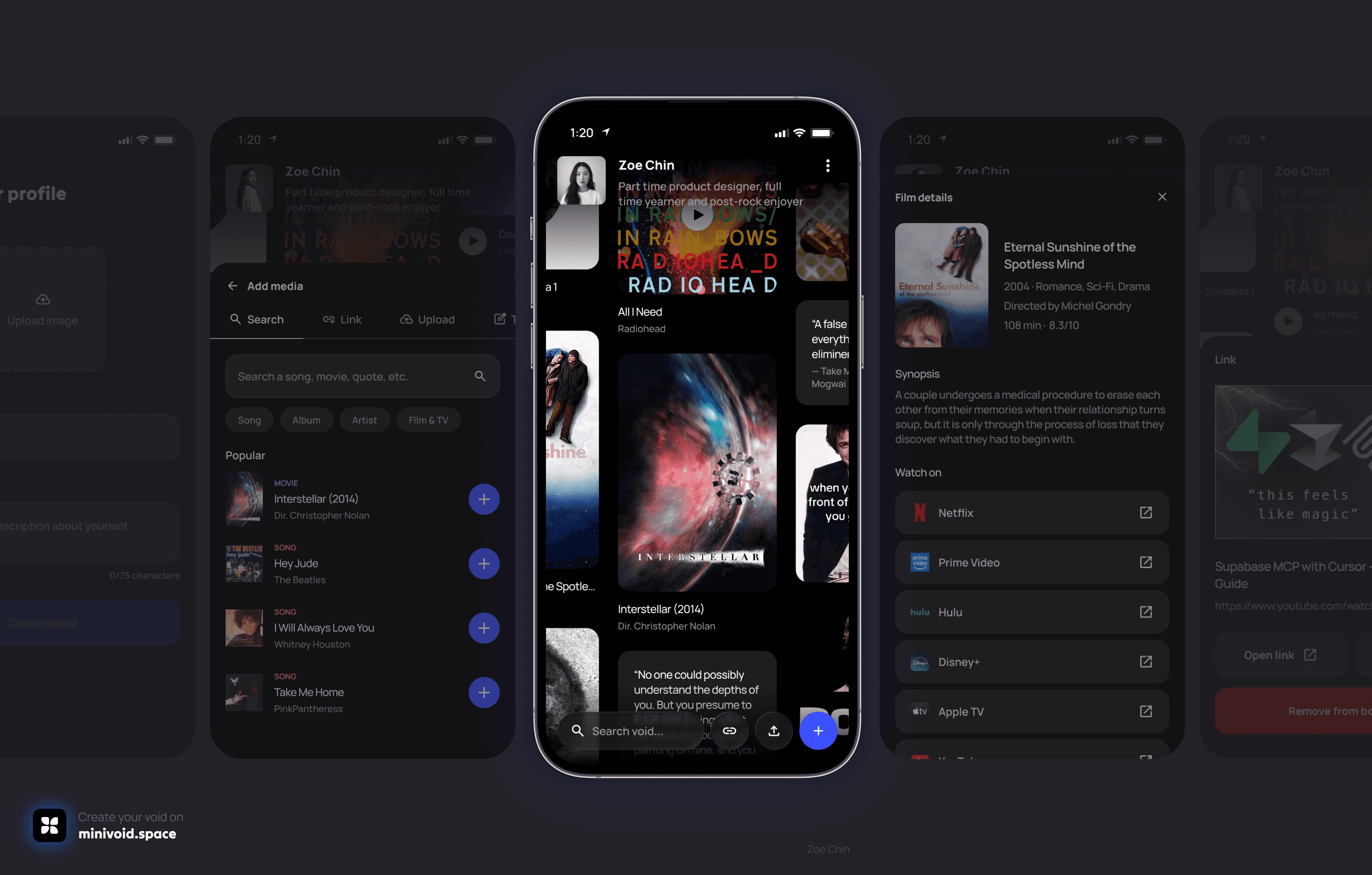
The idea is simple: everyone has a mental "void" of things they love — albums they'd recommend to anyone, films that stuck with them, lyrics they can't stop thinking about. Minivoid gives all of that a home, and allows people to share those things with others.
I designed this around the concept of a minivoid: an empty, underdense pocket of space, in space. In practice, it's a digital space that you can pan around in any direction, and fill with media cards: songs, albums, artists, films, TV shows, games, books, links, and freeform text.
Think LinkTree but less links and, more broadly, all forms of digital media. Tumblr, but you can search for media you want to add to your canvas.
Helping Replit understand what I envisioned
A spatial canvas, not a list
The board needed to feel like a physical space you move through — not just a feed you scroll through. It needed to feel boundless and gravitational.
Varied but predefined media types
Media cards needed to cover songs, albums, artists, movies, TV shows, games, books, links, and text. And each of these media types should have its own feel.
Real data from different sources
Users shouldn't have to upload album artwork or type in movie release dates. Media cards should pull from real databases automatically.
Personal and customizable voids
Each user gets a profile — name, bio, photo, their own canvas, and a unique public URL. Each void belongs to someone.
Mobile-first design
Everything had to work on a phone, because I expect mobile to be the most popular platform. That meant designing for thumbs first.
How searching for media works on Minivoid
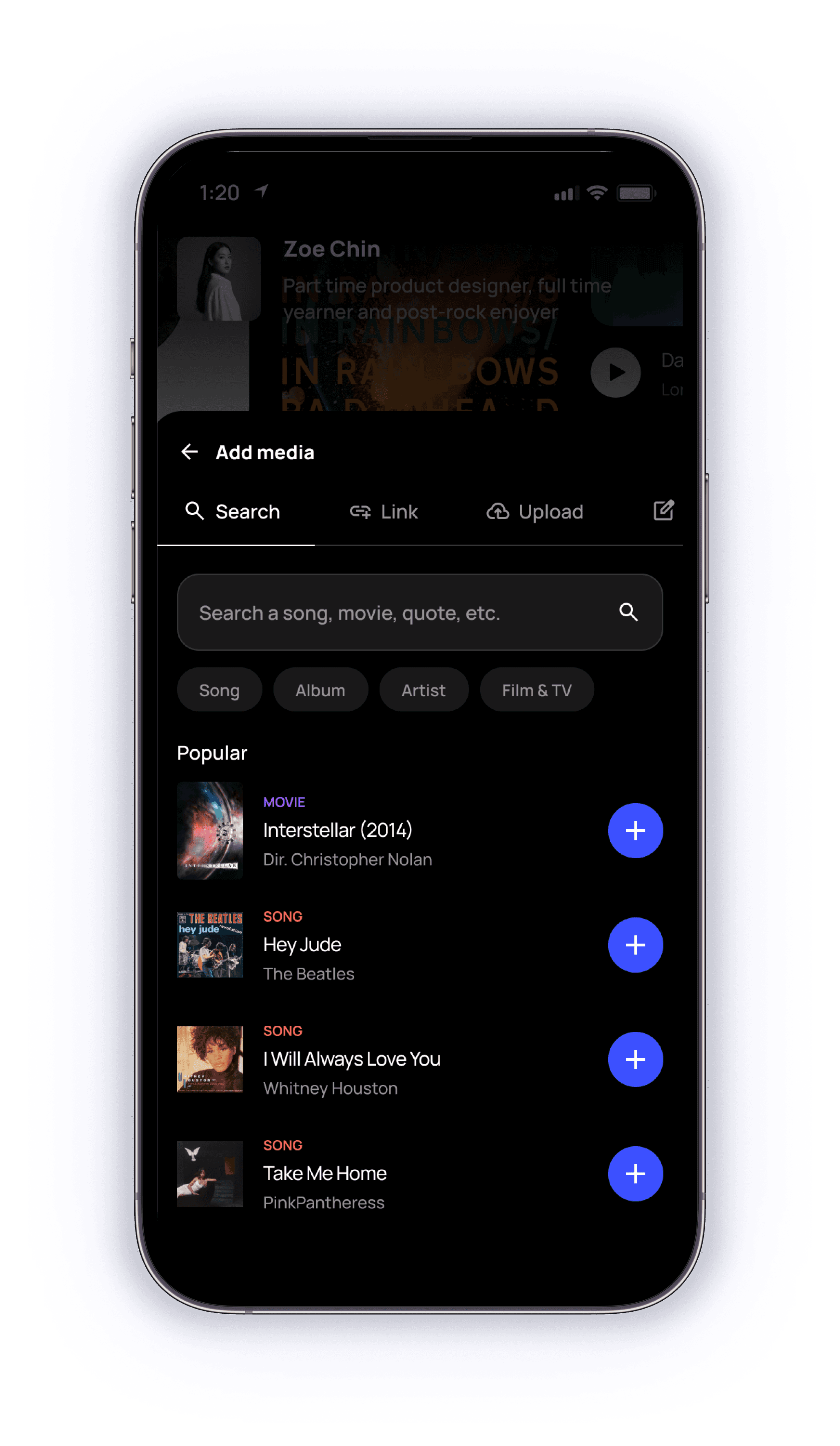
When you search for something in Minivoid, the app quietly checks multiple real-world databases at the same time: Apple's music and movie catalog, a film database, the Steam game store, and Open Library for books.
Results from all of these come back normalized into the same card format, so a song and a movie look consistent even though they come from completely different sources. Duplicates (like when both Apple and a film database return the same movie) get filtered out before they reach the user.
For links, I made sure that the app reads whatever preview information the target website publishes and uses that to build the card — grabbing the title, image, and source automatically.
Making the void feel buttery smooth
The void is designed to feel infinite, but making that actually work without the app slowing to a crawl required a few tweaks.
I wanted the void to be infinite, but smooth at the same time. To enable the canvas handle hundreds of cards without performance issues, I prompted Replit to only load the cards currently in the viewport (plus a small buffer around the edges), and keep everything off-screen invisible to the app until you pan toward it.
To make that loading feel even smoother, I prompted it to add appear animations to the cards, having the cards begin from a smaller scale and opacity, and load up to 100% of its scale and opacity when they appear in the viewport.
I also made sure to add momentum to the void, so when you pan the canvas, it coasts to a stop rather than cutting off abruptly. This was intentional — it makes the space feel physical, like something with weight, rather than mechanical.

Testing, perfecting, and testing again
Most of the meaningful design work happened in response to real problems that showed up during building and testing. I got a few of my friends to try the app out before announcing its launch. It turned out that there were some pretty critical issues to address.
Optimizing media cards
I wanted the canvas to look varied — not too messy and not too structured either.
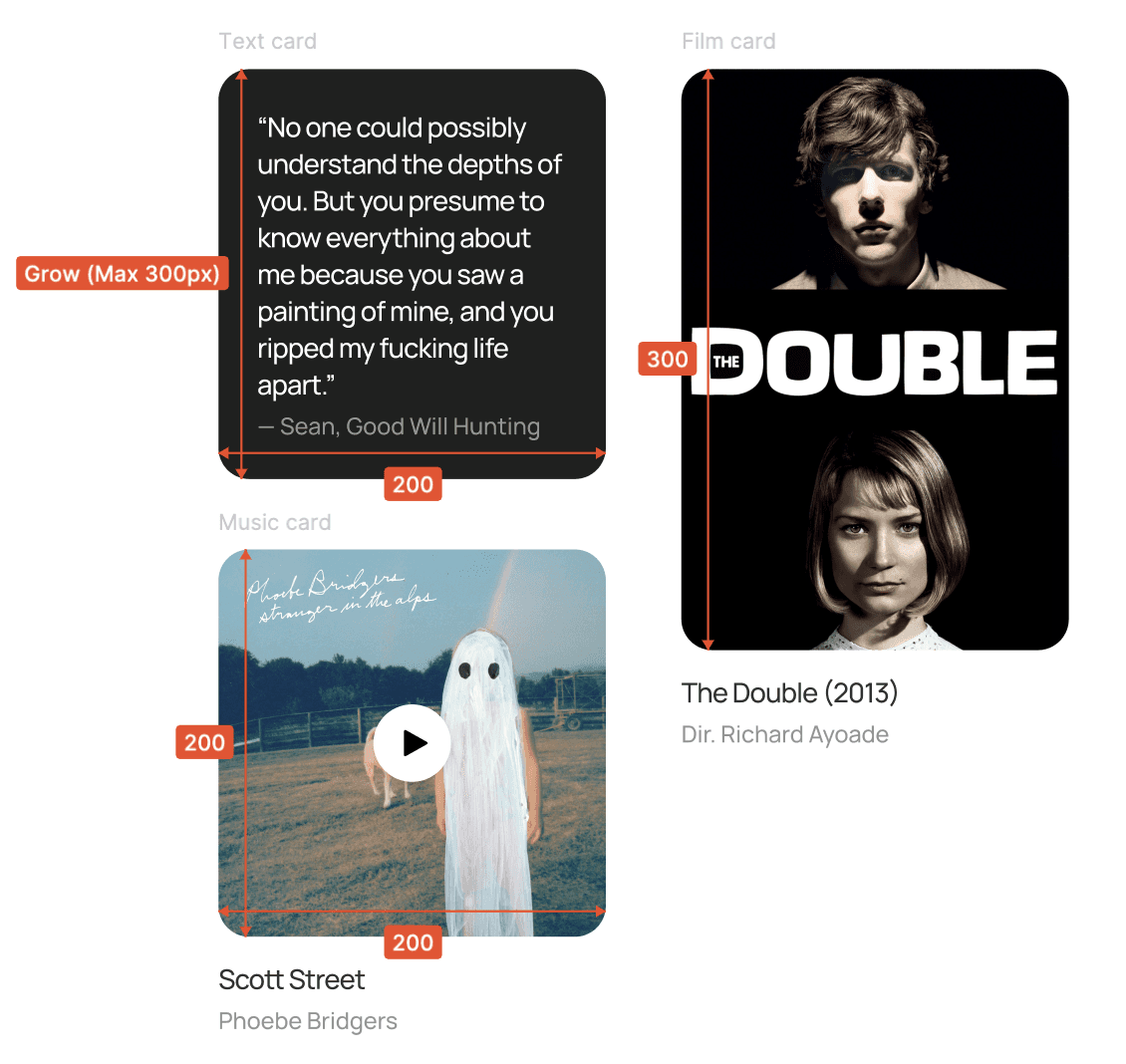
I defined a fixed width of 200px for all media cards, dynamic heights for cards with dynamic content (like free text), and fixed heights for cards with thumbnails that are likely to be a certain dimension (like movie posters that are likely to be tall and album covers that are likely to be square).
Additionally, I had to introduce max heights for the text cards because they can grow really long and mess up the way the canvas looks.
Profile photo compression
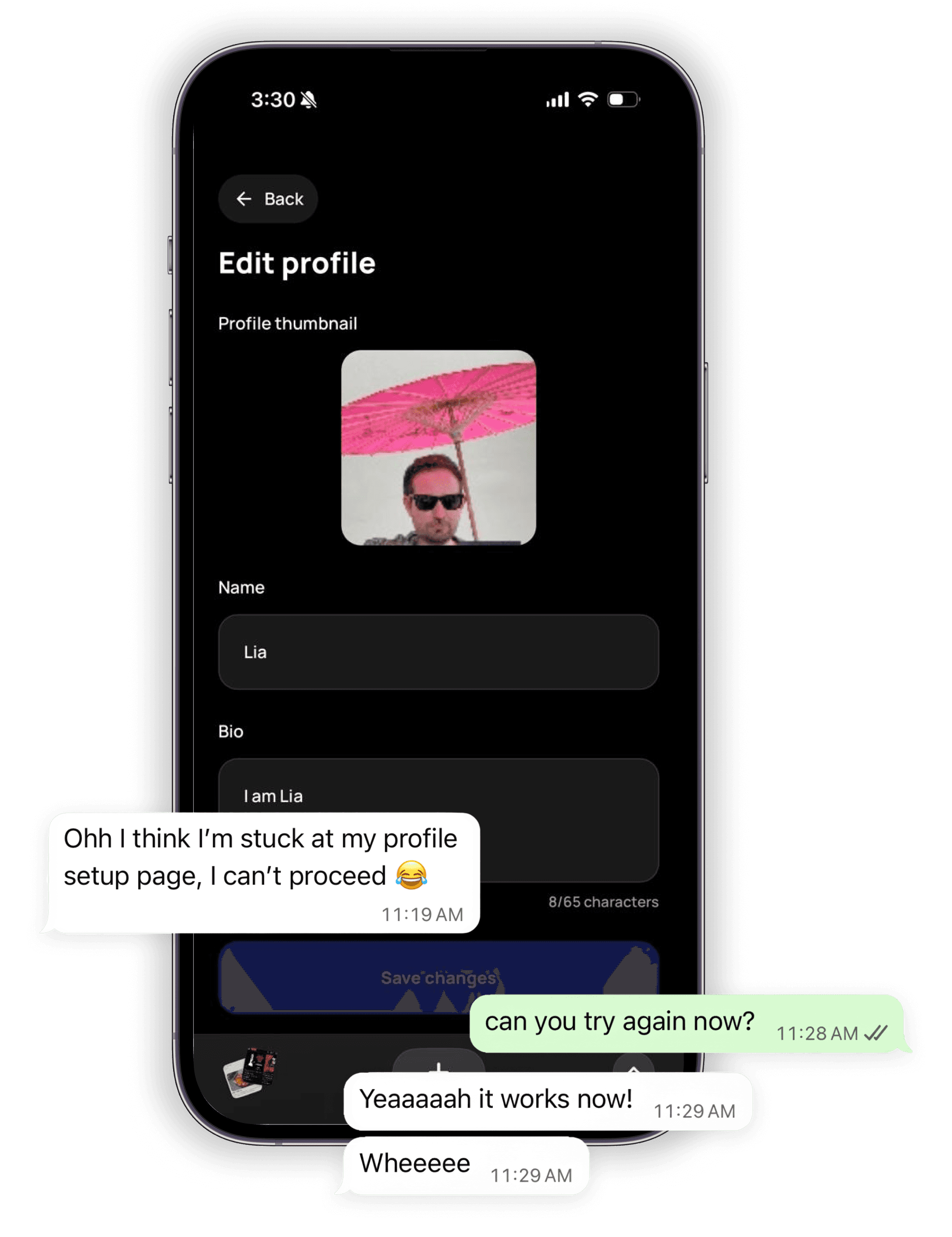
Profile photos were crashing the save. A friend (📣 shoutout to Lia) could upload a photo from her device and type in a bio, but couldn't proceed. Apparently, the app was reading uploaded photos as raw uncompressed data and trying to store the full image locally.
The fix was to automatically compress and resize photos before saving them, bringing a typical 3MB photo down to under 100KB with no visible quality loss at card size.
User-visitor POV mismatches
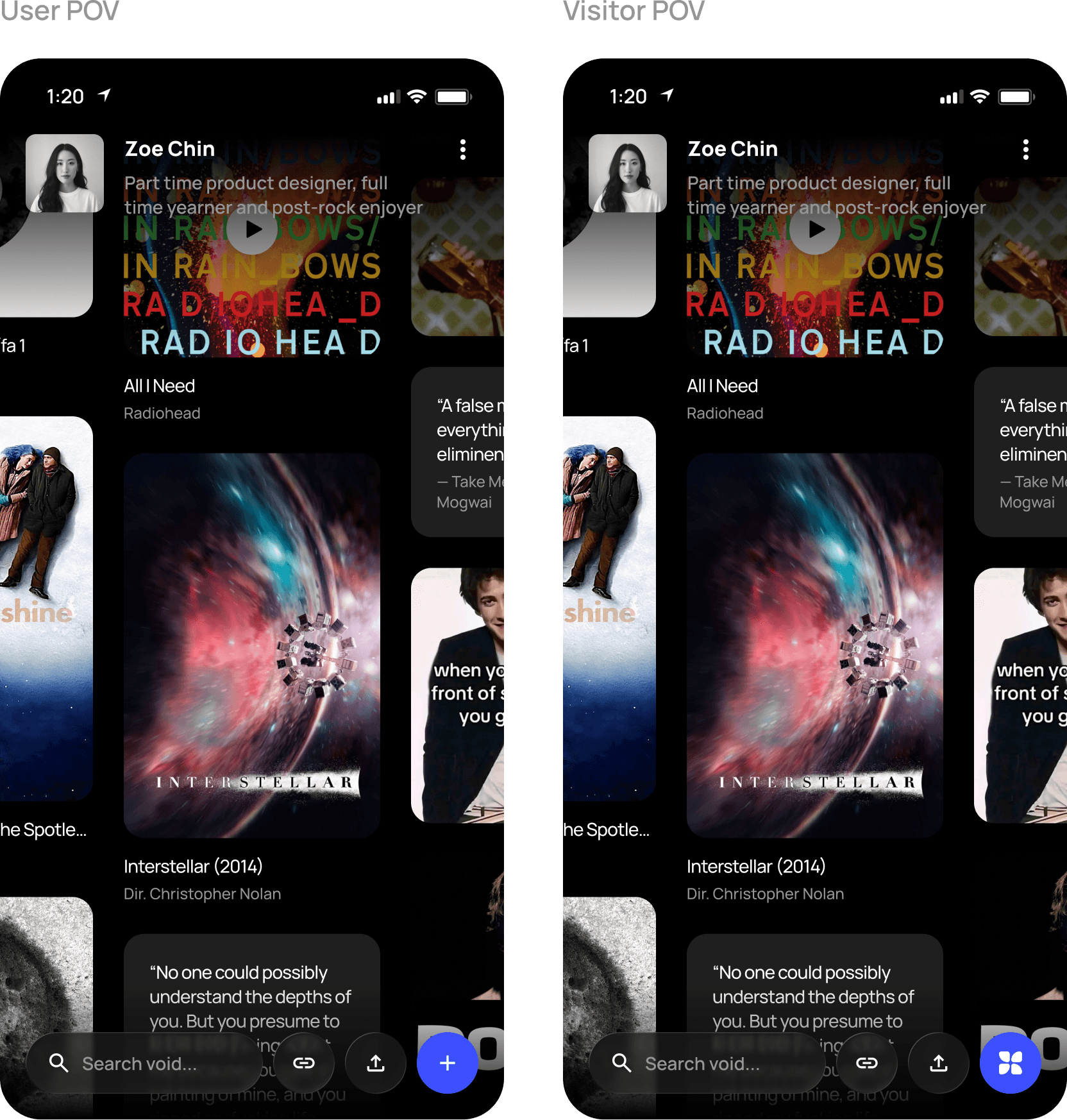
Visitors were seeing mismatching profile snippets. When visiting someone else's void, the name, bio, and photo at the top of the page were showing the visitor's own information instead of the board owner's.
Apparently, this was happening because the page was loading saved local data before the real owner's data had a chance to come in from the server.
The fix was to make visitor mode start completely blank and never touch any locally saved user data — keeping identities fully separate.
Google users accidentally skipping profile setups
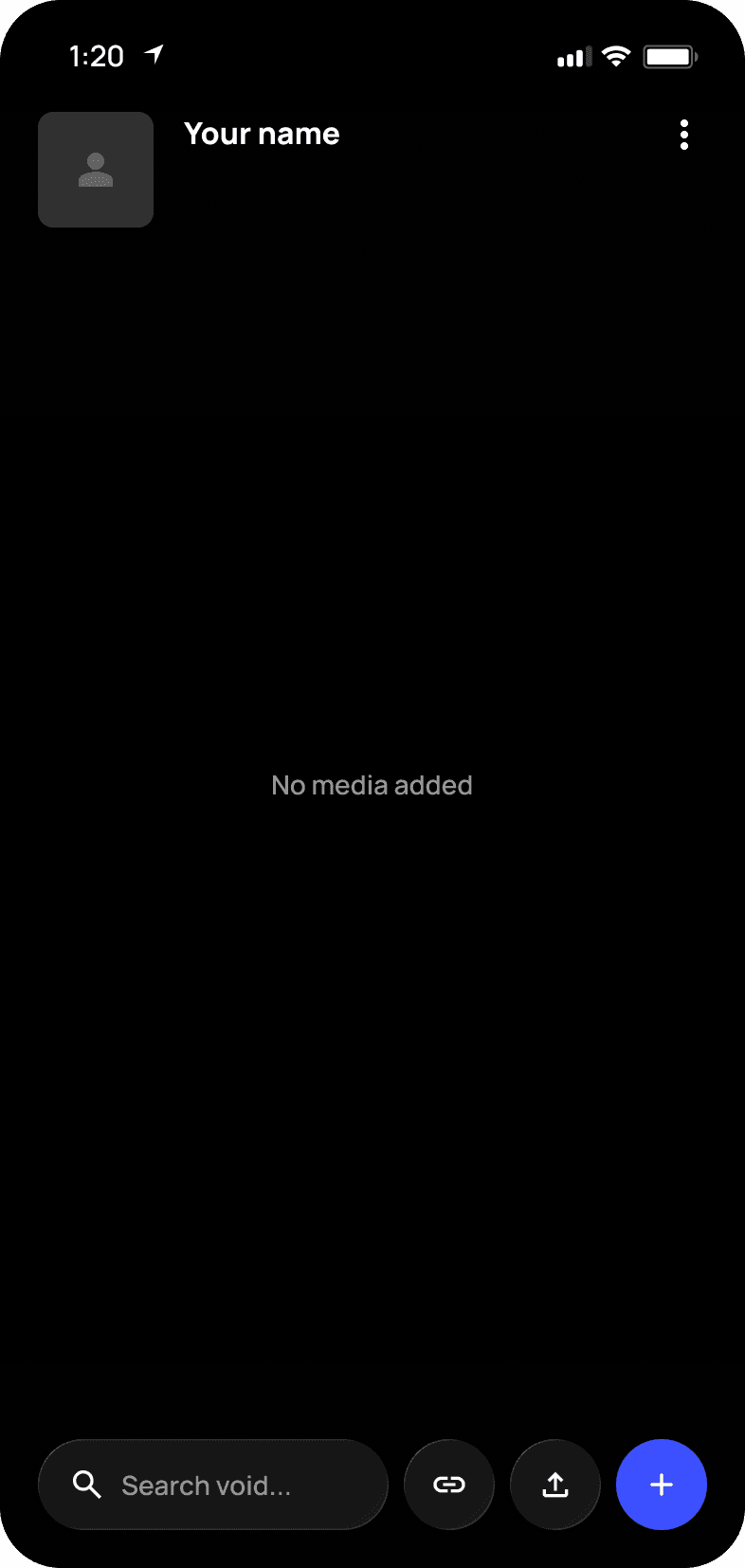
New users who used Google to sign up were skipping setup. When signing in for the first time, they were being sent directly to their void without first setting a name or uploading a photo, landing them on a blank, nameless space with no guidance.
The fix was to route all new Google sign-ins through the same setup screen that the email users were seeing. For returning users, the app checks whether they've already completed setup and skips straight to their void if they have.
Bringing Search to the surface
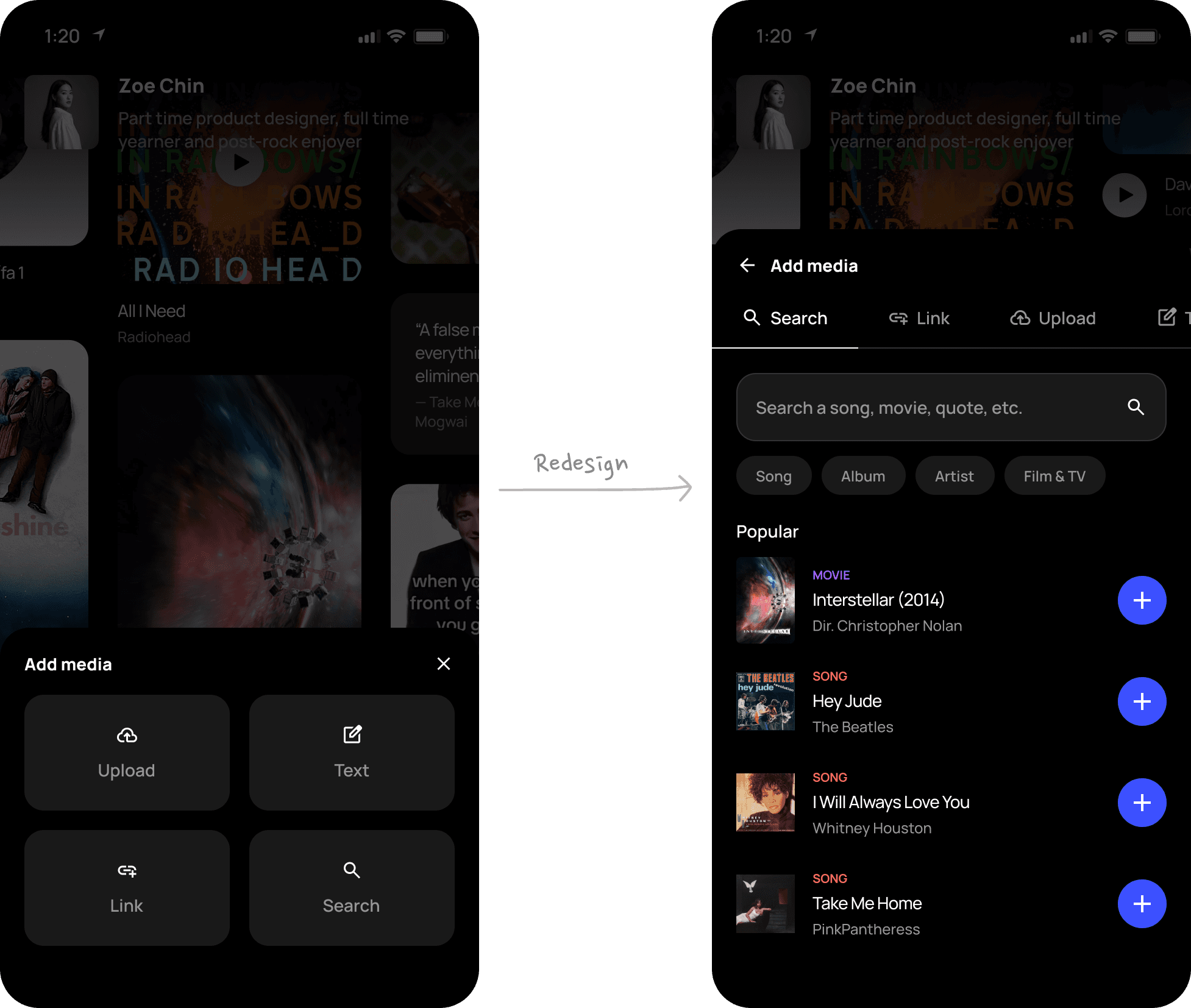
The original "Add media" flow presented four options (Search, Link, Upload, Text) as equal choices that would bring the user to their preferred method of adding media. Getting to search (which I learned most of my friends were doing) took two taps, which is a little frustrating.
I redesigned the Add media bottom sheet to bring all four options into a single page with a tab bar, with search as the default active tab. This made the path from "I want to add something" to "it's on my canvas" became one tap shorter.
Bringing action items to the surface
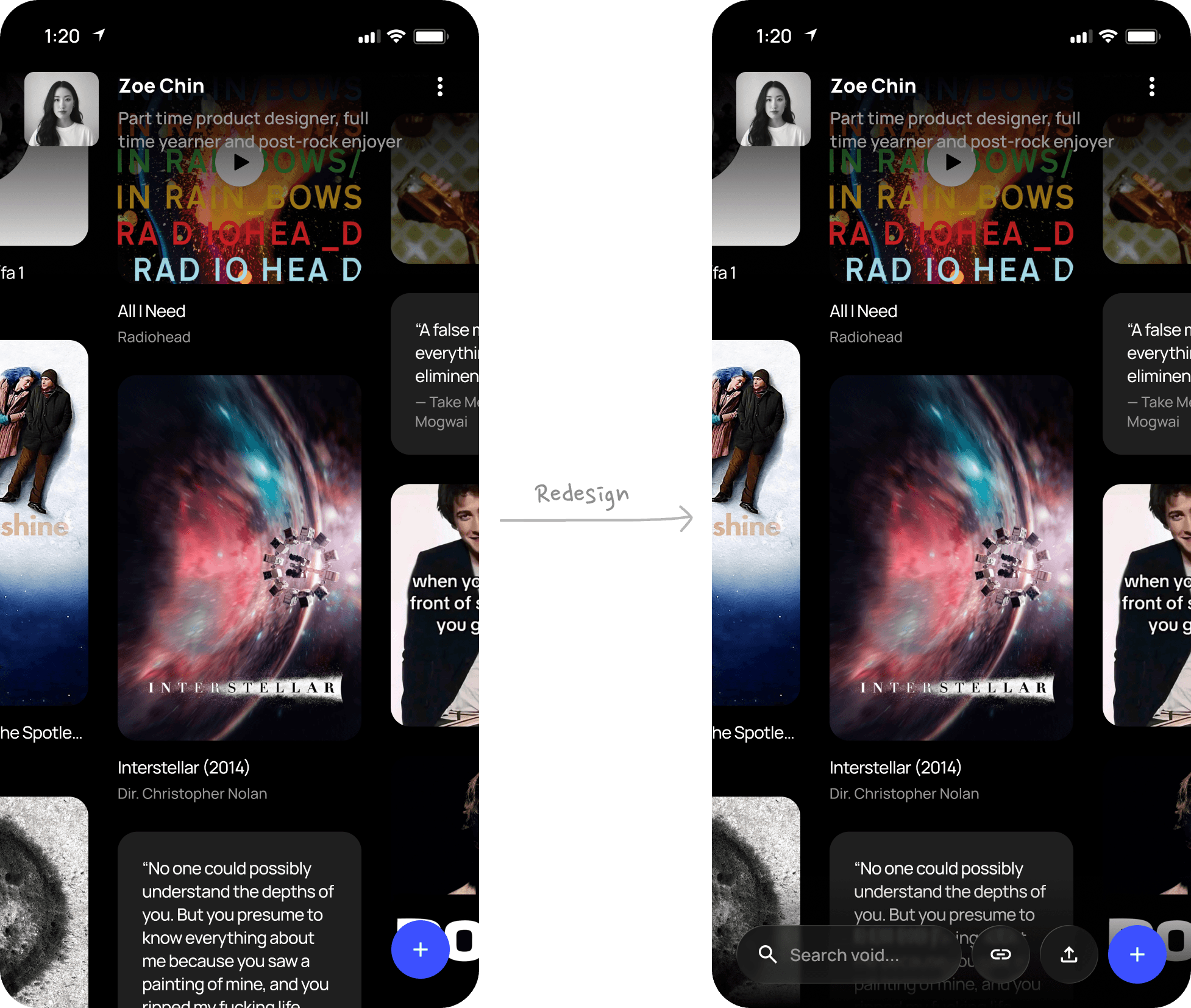
I initially hid the action buttons like Copy link and Share in the profile menu, to keep the void clean with just the Add media button on the surface.
But while a friend (📣 shoutout to Ghorani) was looking at his void for the first time, and I showed him where the buttons were, he said "Oh, I wouldn't have guessed that these buttons were in the ellipsis menu!". That surprise prompted me to surface the buttons instead.
Thankfully all this hassle lead to a beautiful void
After the painful back and forth between me and Replit, Google Admin Console, and Supabase, Minivoid is now live at minivoid.space.
Create your own void, visit someone else's, and of course — reach out if you come across anything unexpected. 🫣
Tech stack (for the nerds 🤓)
Frontend
React 18 + TypeScript — component model and type safety throughout
Vite — dev server and build tool, served alongside the Express backend on a single port
Tailwind CSS — utility-first styling; Manrope as the display typeface
Shadcn UI / Radix UI — accessible component primitives (toast, dialog, form controls)
TanStack Query v5 — server state management, cache invalidation, loading states
React Hook Form + Zod — form validation with schema-driven types
Wouter — lightweight client-side routing
Framer Motion — animation for card details and sheet transitions
Lucide React — icon system
Backend
Node.js + Express 5 — REST API and HTML meta-tag injection for OG previews
TypeScript — shared types between client and server via a shared/ package
Drizzle ORM + Drizzle Zod — schema-first database modelling; Zod schemas auto-generated from table definitions
Database & Auth
Supabase — PostgreSQL database (board cards, user profiles) and authentication
Supabase Auth — handles email/password sign-up and Google OAuth. JWT tokens are sent with every API request; the server validates them via the Supabase service role key before touching any user data.
Reflections
This short project that lasted 3 days taught me a lot. Because I had full ownership over the product, I had no choice but to pay attention to the details and be intentional about my decisions. Here's what I've learned from building Minivoid.
The most-used feature deserves the least friction.
The original add media flow buried search behind an extra tap. Search is what people do 90% of the time — and I'd designed it as if it was equal to everything else. The solution was obvious in hindsight. Of course most people would prefer the easier way to find something (by searching) over the longer way (manually uploading or pasting a link).
Designing mobile-first >>>
Designing mobile-first forced every interaction to be simpler. If something was too complex to do with a thumb, it was probably too complex. Full stop. The bottom sheet pattern, the tab bar in the add media flow, the surfacing of the action buttons — all of these made the desktop experience better too.
Minimal isn't always better.
I initially hid the action buttons like Copy link and Share in the profile menu. While a friend was looking at his void for the first time, he said "Oh, I wouldn't have guessed that these buttons were in the ellipsis menu!". That was when I realized that hiding things in the name of "keeping things clean" isn't always a good call. Sometimes users need clarity more, and there's always a workaround without cluttering the screen.
Small polish details matter.
The tiny details that frustrate are worthy of attention. A friend brought up that it was a little annoying that the Add media bottom sheet was closing every time he added something to the void. This was something I saw as worth fixing because I could see others feeling the same way, especially at the beginning of their journey when they are first populating their void.
In the same way, small details that delight are equally as important. The momentum on the canvas (that little coast-to-a-stop when you release a drag) wasn't strictly necessary. The product works without it. But it's the thing people notice."It's so smooth!" was one of the first few comments I repeatedly received while my friends were trying Minivoid out for the first time. These responses validated the love I have for quality and beauty.