
Task management system for multi-stakeholder financial ops
I designed a task management system that unified scattered workflows into a single hub, with integrated notifications and collaboration tools.
About Aurem
Aurem is a smart retirement operating system that enables financial institutes in the UAE to easily set up and manage pension schemes, end-of-service benefits, and voluntary investment products for workforces.
Through the platform, employees who are enrolled by their employers can view their benefits, make investment choices, withdraw their money, and access account statements.
As the technology layer connecting employers, employees, fund administrators, and banks, the platform handles complex multi-stakeholder workflows including KYB and KYC document verification, payment processing, and more.
Why a task management system?
As Aurem scaled to managing enterprise clients with thousands of employees, operational complexities grew.
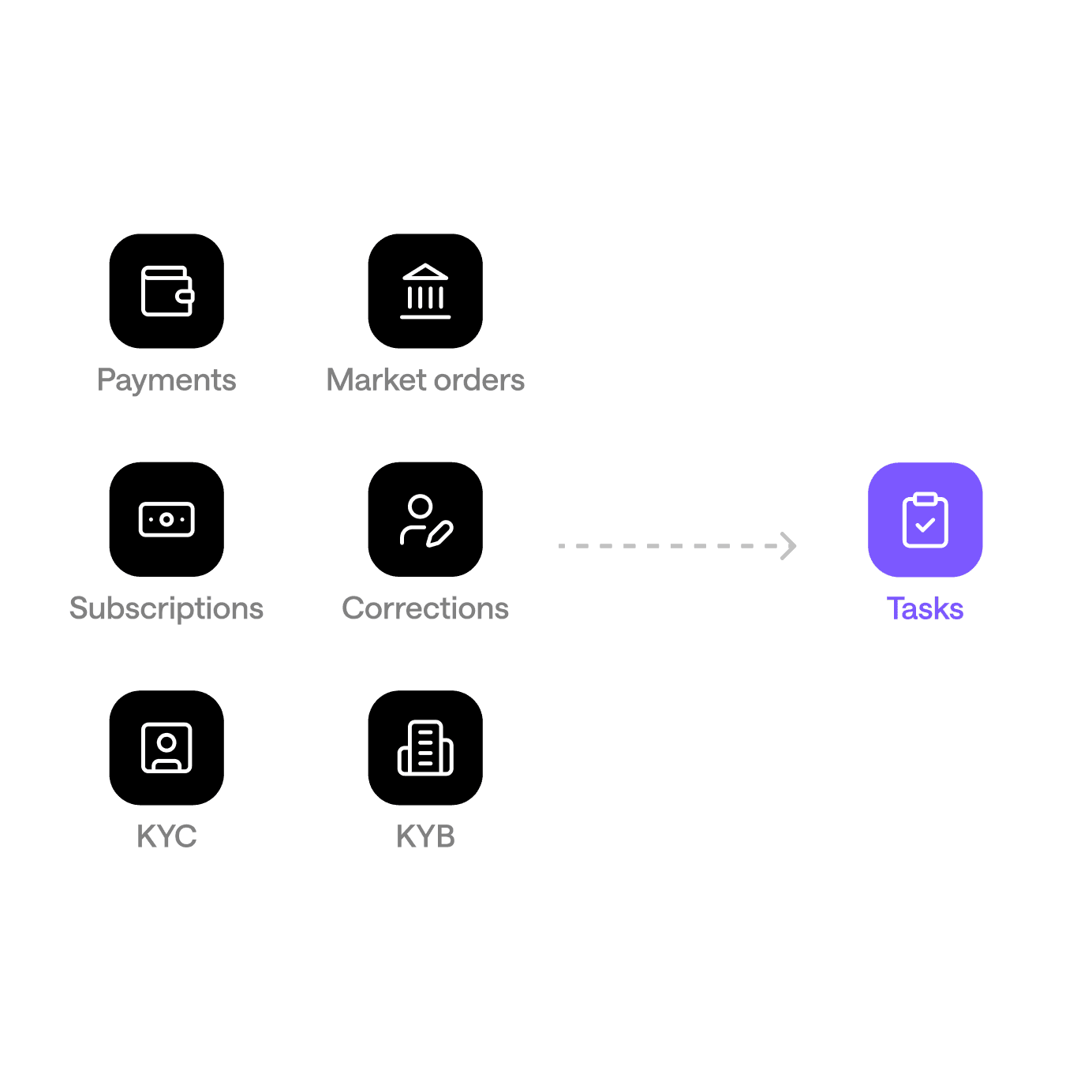
Over time, the workflows on the platform became scattered and lived in completely separate places. Each task type had its own dedicated page, its own action buttons, and its own way of doing things. For a team handling 20,000+ tasks, this meant a lot of clicking around, context-switching, and things slipping through the cracks.
Considering that it was a constant expectation for multiple stakeholders to coordinate on most workflows across the platform, building a centralized task management system made sense to improve our users’ efficiency and speed.
A context-heavy design process
The challenge this project presented was less about craft, and more about retaining context and translating existing complex and interconnected webs of events into clean, intuitive, and seamless flows.
Mapping out and understanding the relationships between workflows, the different actors within each workflow, and the roles they play.
Defining which workflows qualify as tasks, and categorizing them by task type.
Translating email notifications triggered by workflows into in-app notifications, and defining new task-specific in-app notifications to introduce.
Exploring different layouts for the Tasks page.
Exploring different variants of page contents and resolution flows per task type.
Defining where admins would configure the assignees, reviewers, and escalation recipients of each task type.
Early discussions and iterations
After context gathering, the goal was clear — to bring everything into one place. But one place can mean many different things, and lead to many other changes. Initial layout explorations led to discussions surrounding task resolution and migration.
Task status = payment status? Or are they different?
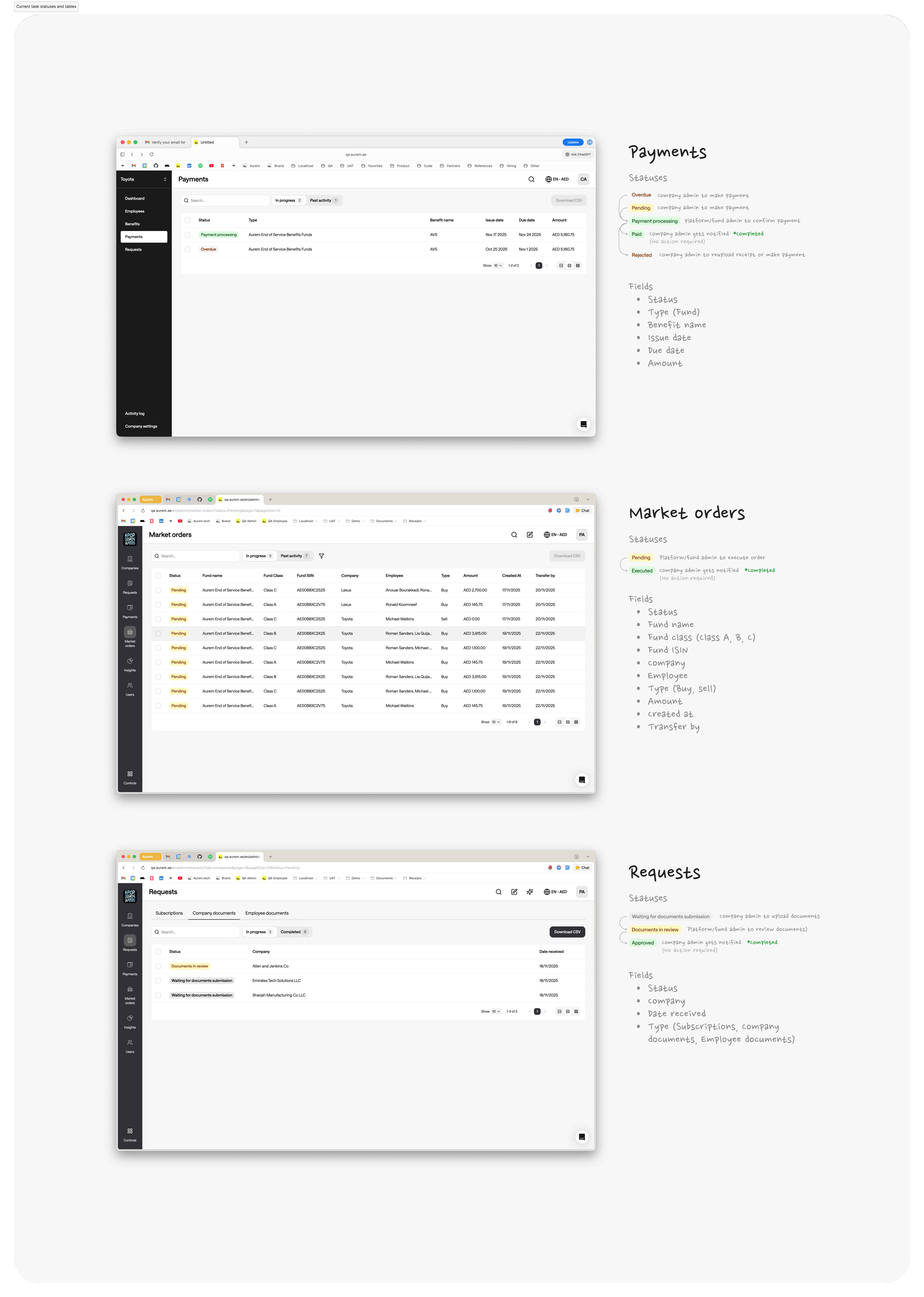
Every standard task management system needs a way to track progress. But on our platform, tasks already came with their own built-in statuses — because each entity they were tied to had its own lifecycle.
Take payments, for example:
Pending ➜ Overdue ➜ Processing (company admin has made the payment and uploaded the receipt) ➜ Paid (fund admin has confirmed it on their end)
Market orders, subscription requests, and other entities each had their own equivalent flows. This introduced a design challenge: how do we layer a task management system on top of entities that already have meaningful statuses of their own?
The insight that came out of our discussions was that we shouldn't collapse the two. Entity statuses and task statuses serve different purposes, and both matter. A fund admin needs to know where a payment stands (the granular view), and also whether the work around it is still open (the high-level view). Merging the two into a single status would have forced users to dig deeper just to answer a simple question that should be immediately visible.
So we kept them separate. Entity statuses stay on the entity, and task statuses track the work.
Chat as the primary mode of resolution?
Initially, I explored a resolution flow where the activity and comments section was the primary place for resolution, where assignees and reviewers would work through tasks conversationally. The team was excited about the fluidity this offered.
While this model worked well for open-ended manual tasks, however, we realized later that it didn't make as much sense for structured task types (like KYC, KYB, market orders, and payments) that required specific inputs like document uploads, dates, receipts, and formal decisions that freeform chat couldn't reliably capture to drive automated status changes.
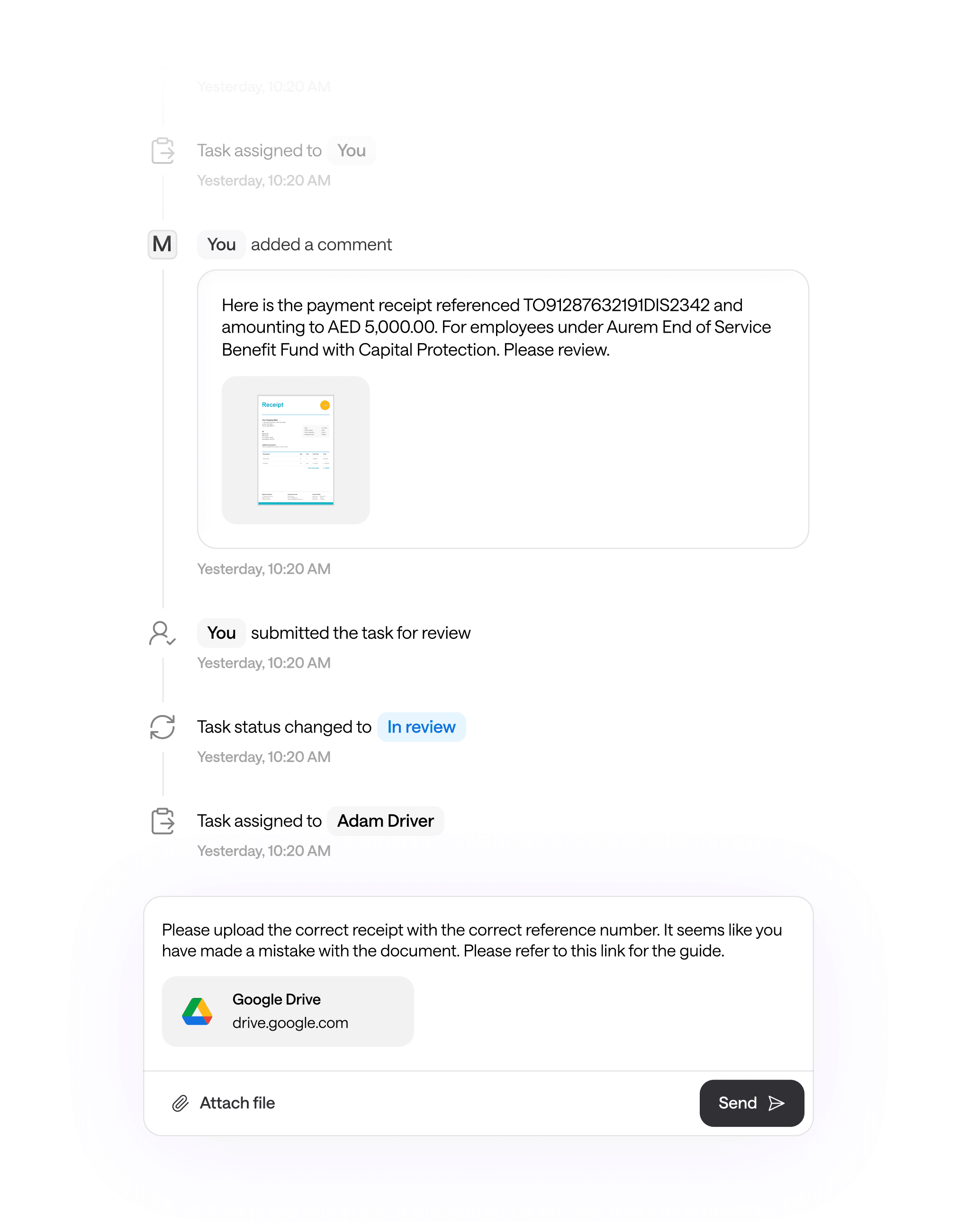
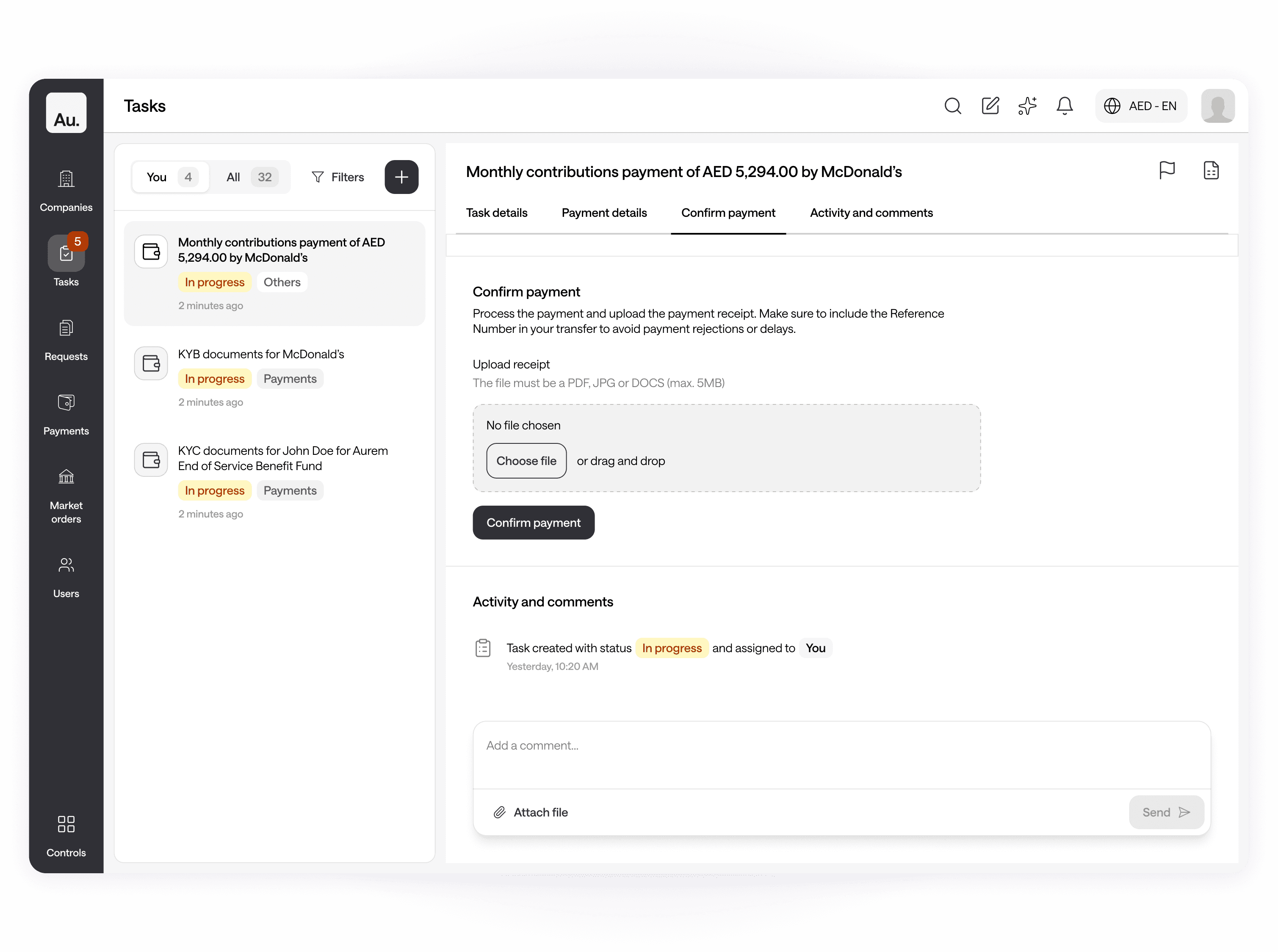
This led us to pivot from a pure chat-based model to a hybrid model, a blend of both chat and fixed forms.
So resolution would primarily happen through structured forms and decision selectors, while any additional comments or back-and-forth would live in the comments as a secondary communication layer.
What do we do with the old stuff after we migrate?
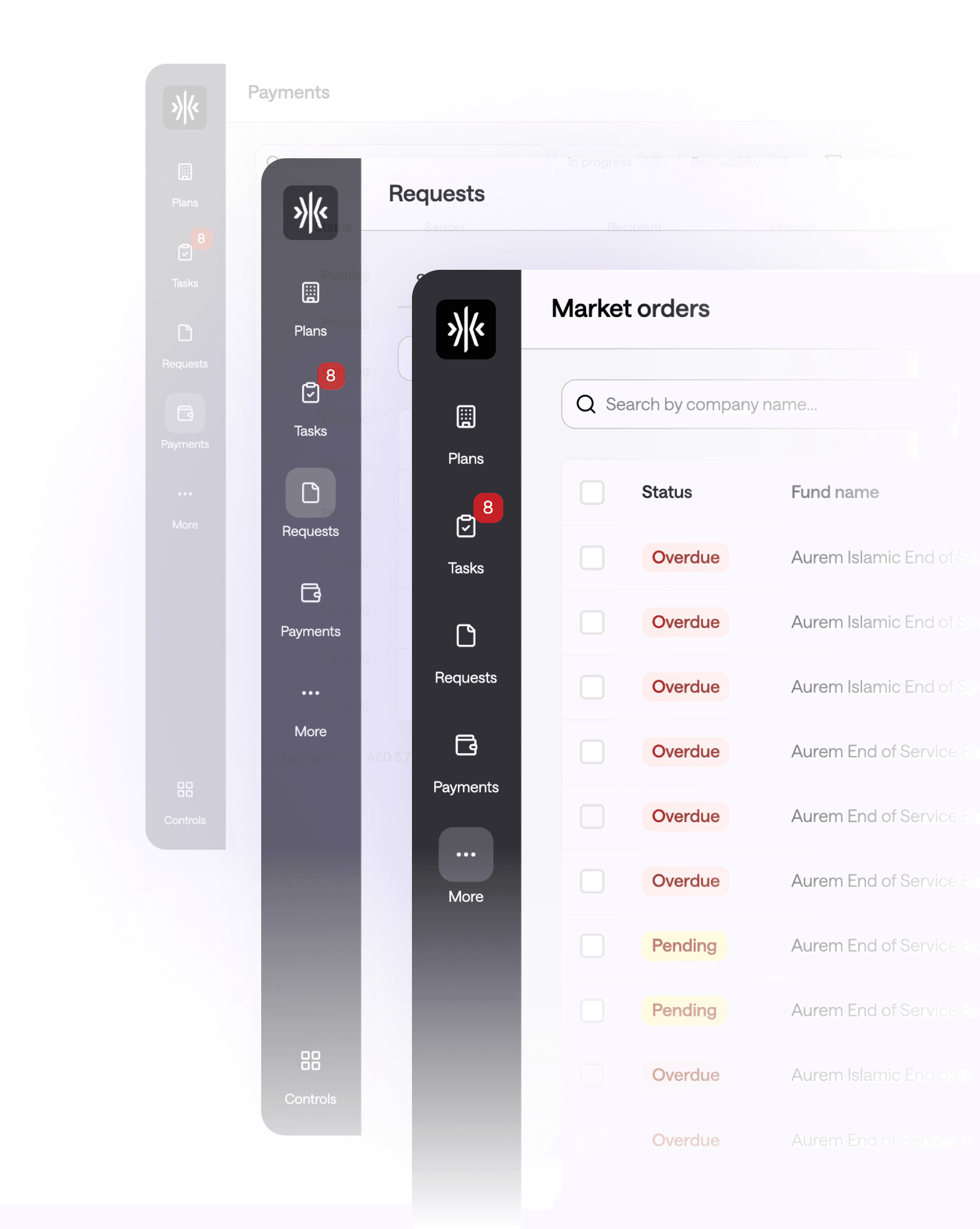
We had to decide what to do with the old pages after task resolution migrates to the Tasks page, and the existing Payments, Market Orders, and Requests pages are no longer where any action is taken.
The original proposal was to simply remove the existing pages from the sidebar entirely, but it raised questions about how users would revisit completed payments, market orders, and requests for record-keeping and high-level auditing.
So we decided to keep them, and decide where they should live later.
One, two, or three columns?
The layout for the task management page was an important foundation that would define how our users would operate on a day-to-day.
I explored a few options:
✱ A single scrollable task detail page, that users would land on from a simple tasks list.
✱ A two-column task detail page that users would land on from a simple tasks list, that separates task details and activity log on the left, and action items on the right.
✱ A two-column task list + task details layout that allows for quick switching between tasks on the left, and action items on the right.
✱ A three-column task list + task details + file preview layout that allows for quick switching between tasks on the left, action items in the center, and file previews on the right.
After reviewing the options with the team, we scratched options that were either too overwhelming or would have obvious issues for narrower screens, and kept coming back to a two-column layout (task list on the left, full task details on the right) as the most familiar and functional pattern.
We agreed on the fact that it's the same mental model as email viewers, Linear, or GitHub Issues, and people already know how it works.

A glimpse of the final outcome
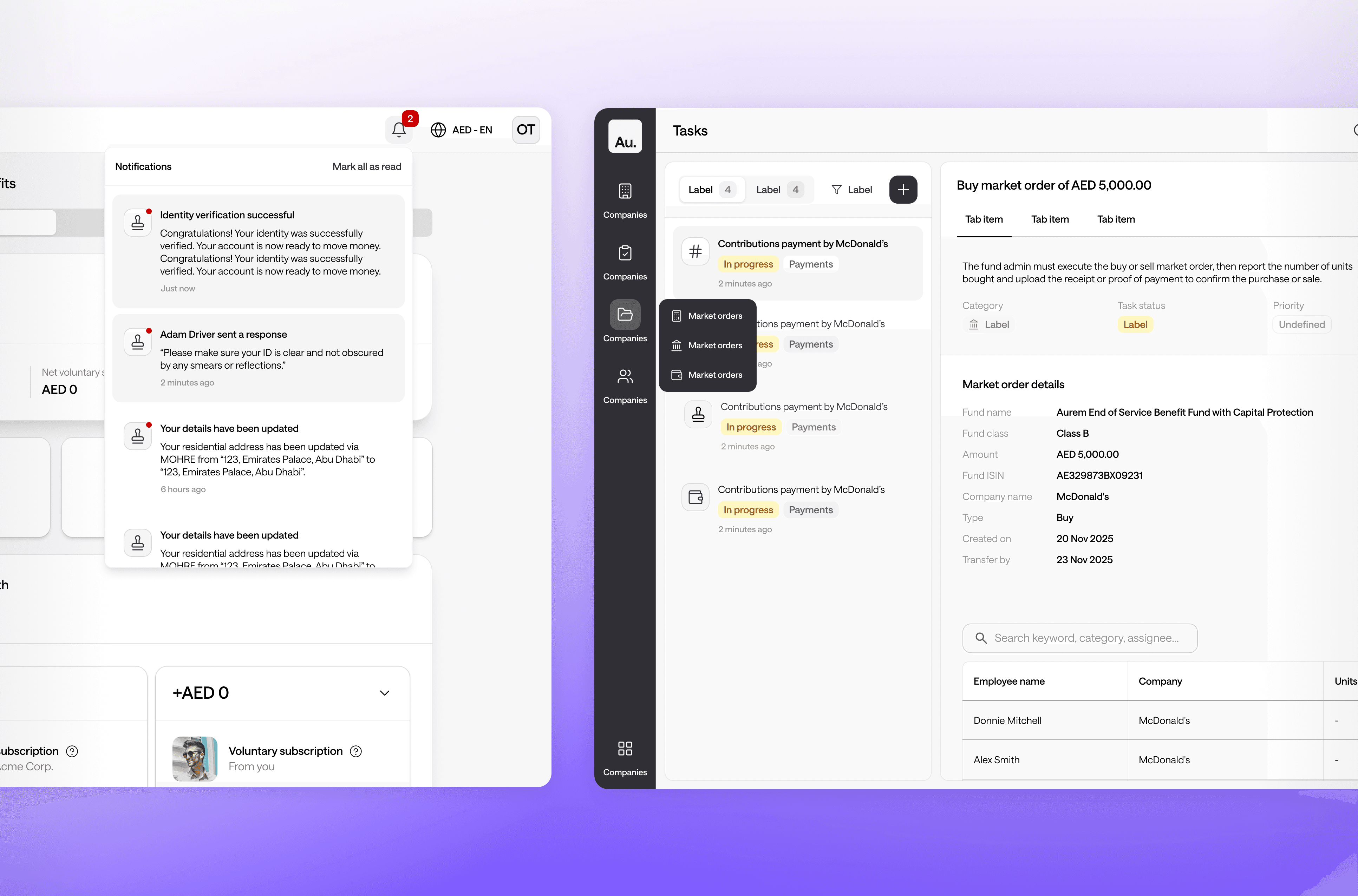
The final design is a unified Tasks page that brings every task type — KYC, KYB, payments, market orders, subscriptions, corrections, and manual tasks — into a single, consistent interface.
The two-column layout that turned out to be highly reusable.
While kicking off upcoming projects in parallel with tasks, the team realized the two-column layout wasn't just a "tasks" layout at all. It could become the natural shape for any part of the product where users would triage a list of items and drill into one at a time.
So as we implemented it, we treated it less like a one-off layout and more like the start of a reusable pattern, with consistent dimensions, a predictable interaction model, and shared behaviors like selection, empty states, and responsive collapsing.
That foundation is now carrying over into other parts of the product, such as our full-page AI Assistant chat interface that uses the same layout for the conversation list, chat room, and files.
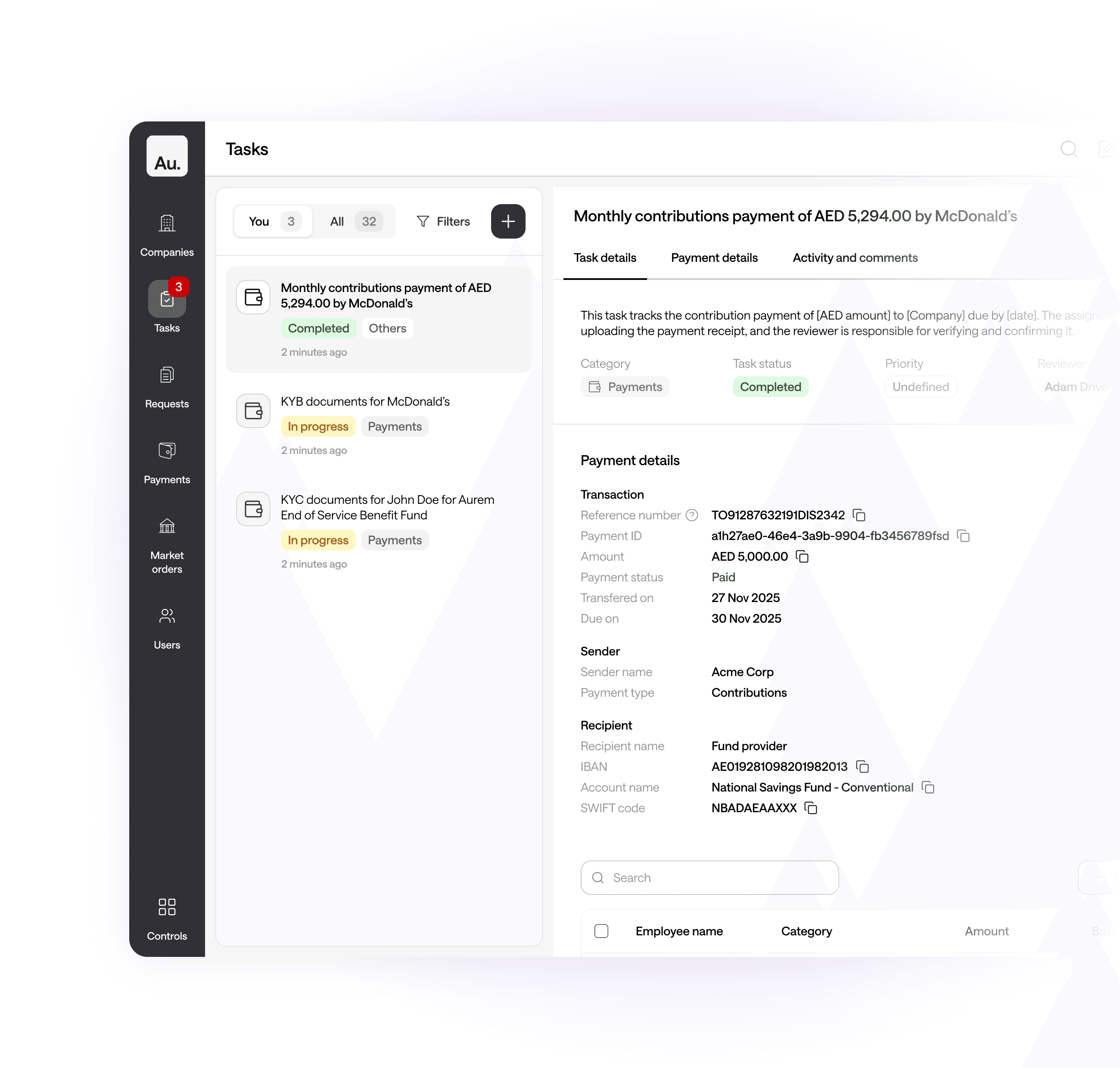
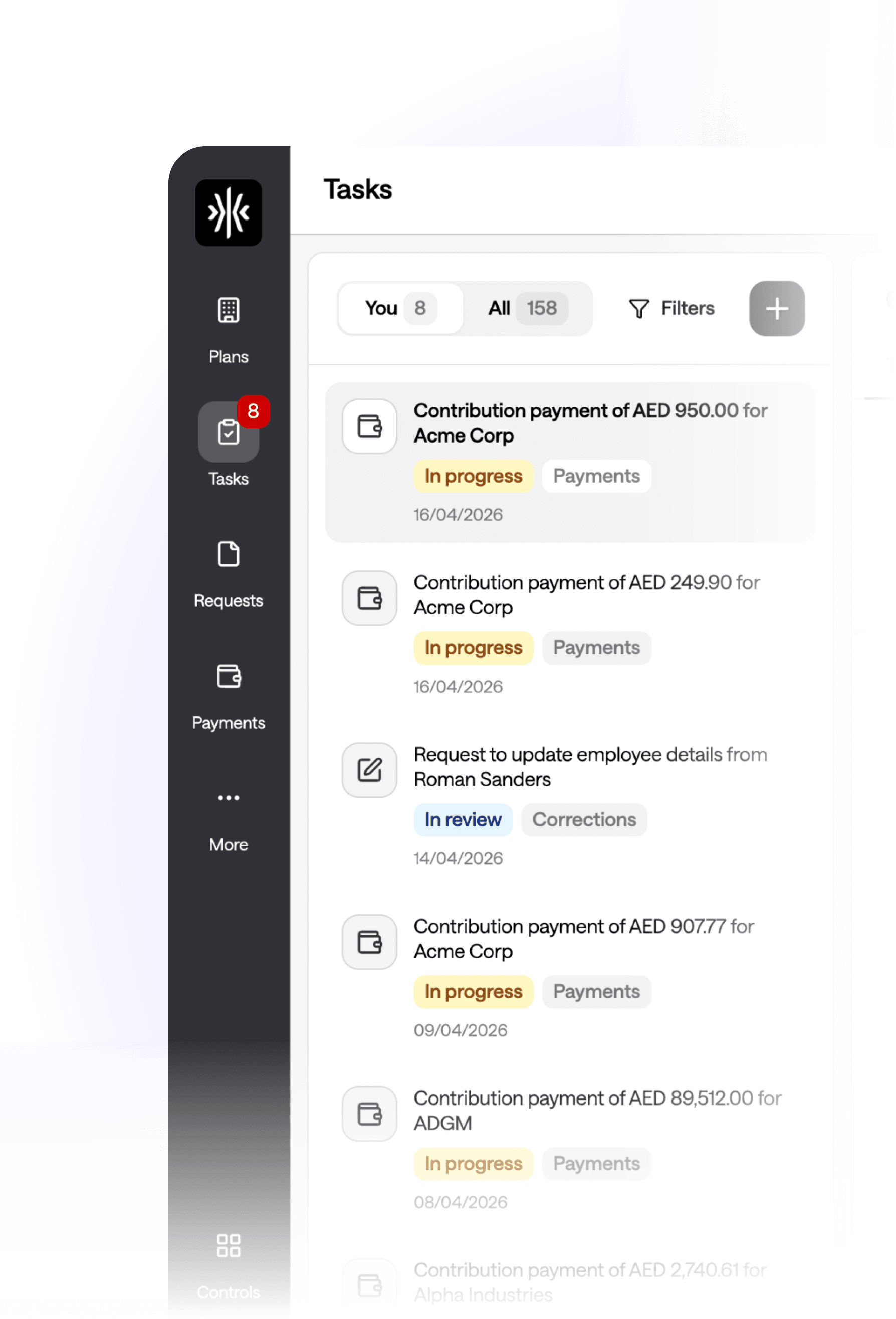
Company and employee names in task titles
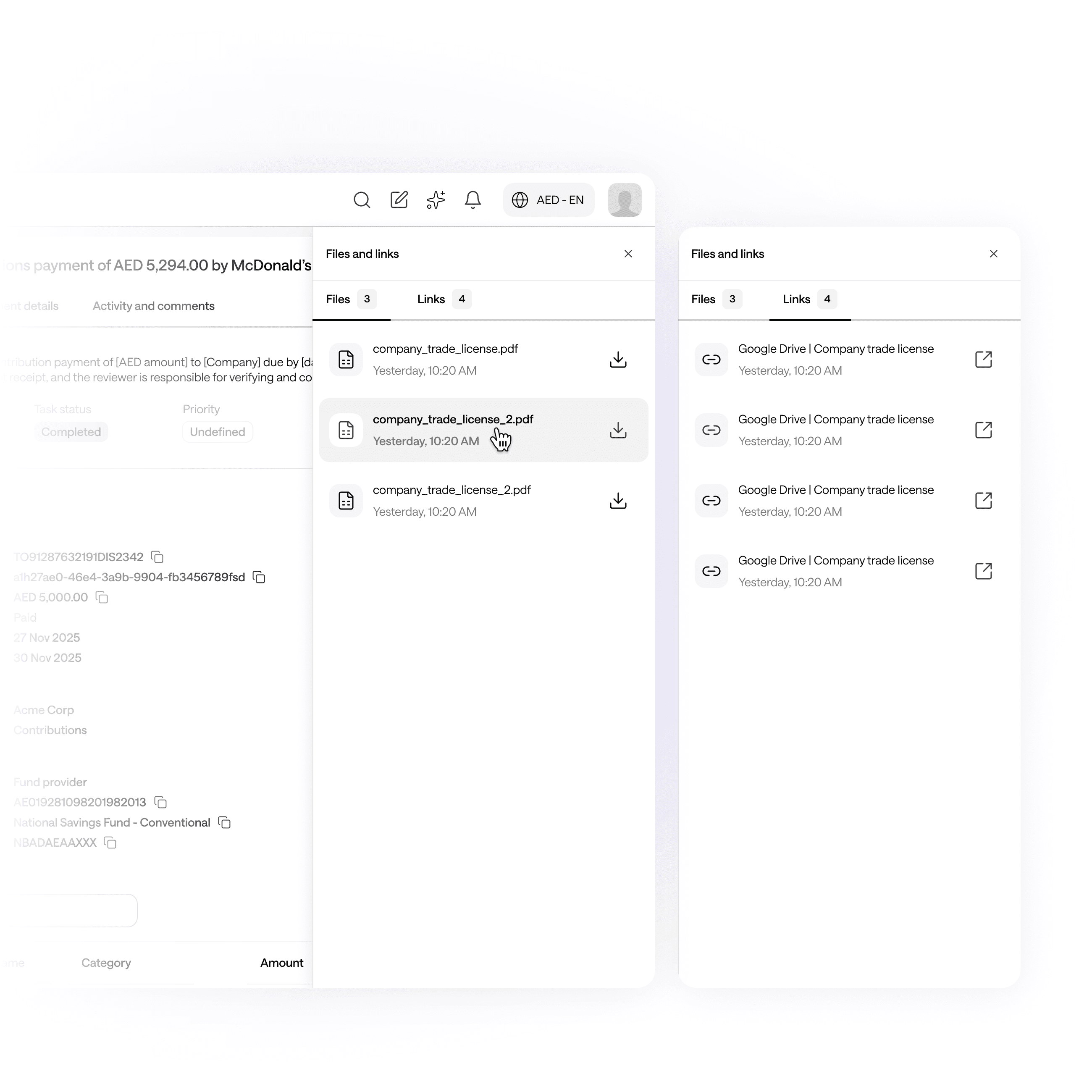
Files and links — a side drawer where important stuff stash.
I had to think about file storage with the assumption that back-and-forth exchanges between company and fund admins are the norm. Tasks like KYB reviews, payment approvals, or resubmissions could revolve around revisions that result in many different versions of the same file.
So I added a Files and Links drawer on every task page that automatically compiles every file and link that's ever been attached to a task, each with its timestamp, whether it came through a comment or an upload action.
This gives users a clean index of all the deliverables in one place, so reviewers don't have to dig, assignees can quickly find and re-download files they've previously shared, and nothing gets lost if threads get long.
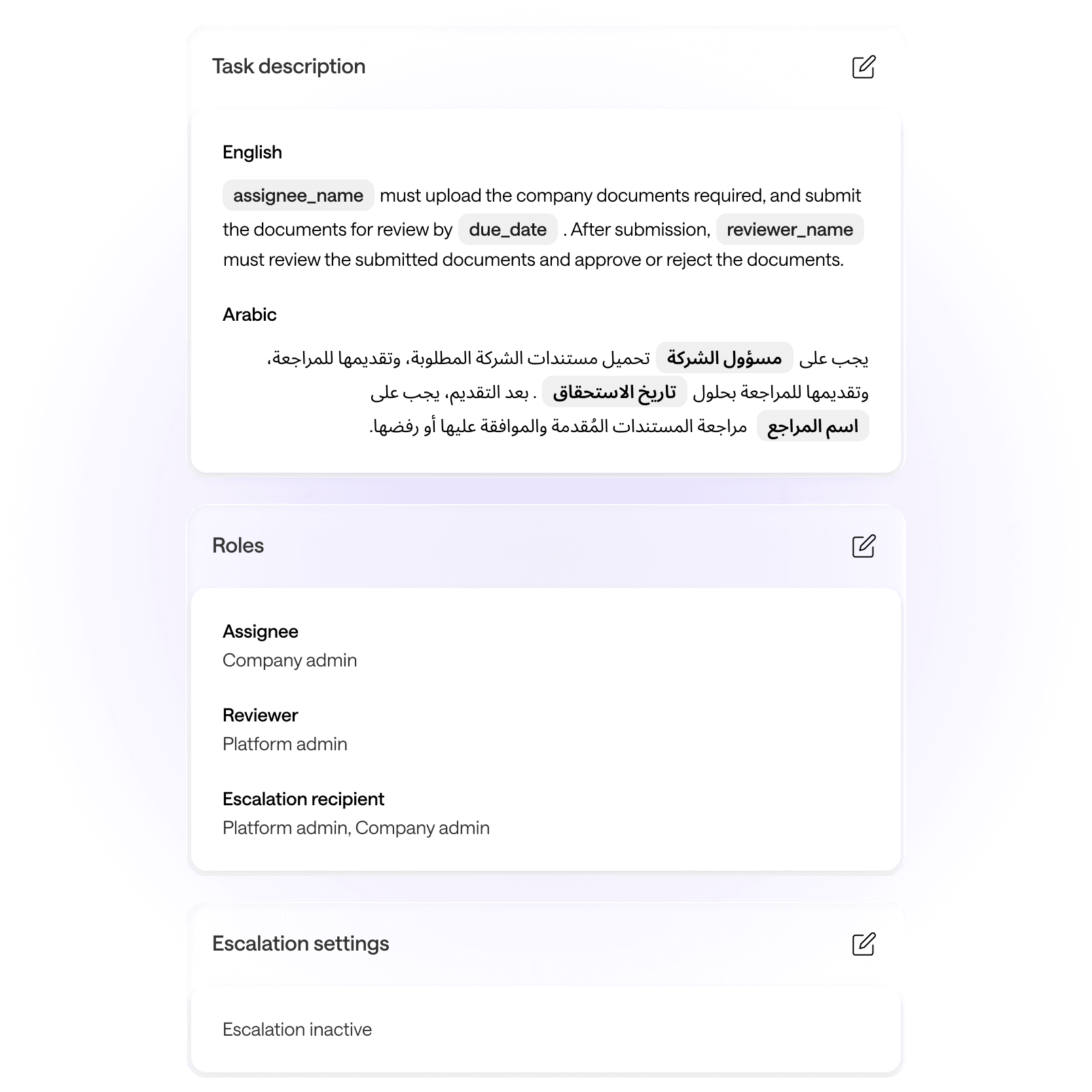
Task configuration — giving admins control over how their team coordinates.
Instead of hard-coding how each task type behaves and who they are mapped to, I designed a task configuration page where admins can set up how any task type behaves, including:
✱ Who is assigned to act on it
✱ Who is assigned to review it
✱ Who gets notified if the task is overdue
✱ What the task description says
Admins can use preset variables while writing task descriptions in both English and Arabic, allowing for variable details such as assignee names and due dates to always display as per each task's requirements.
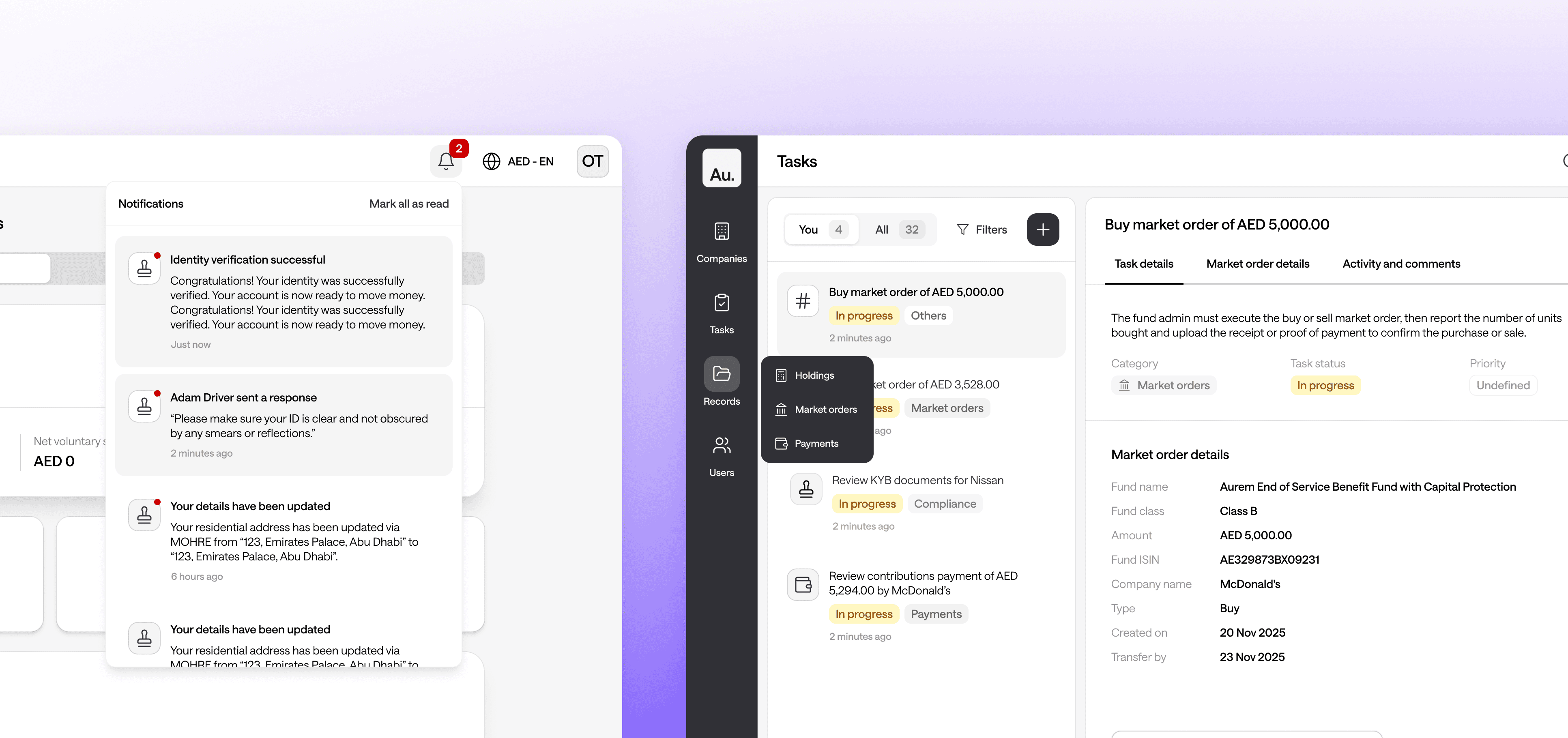
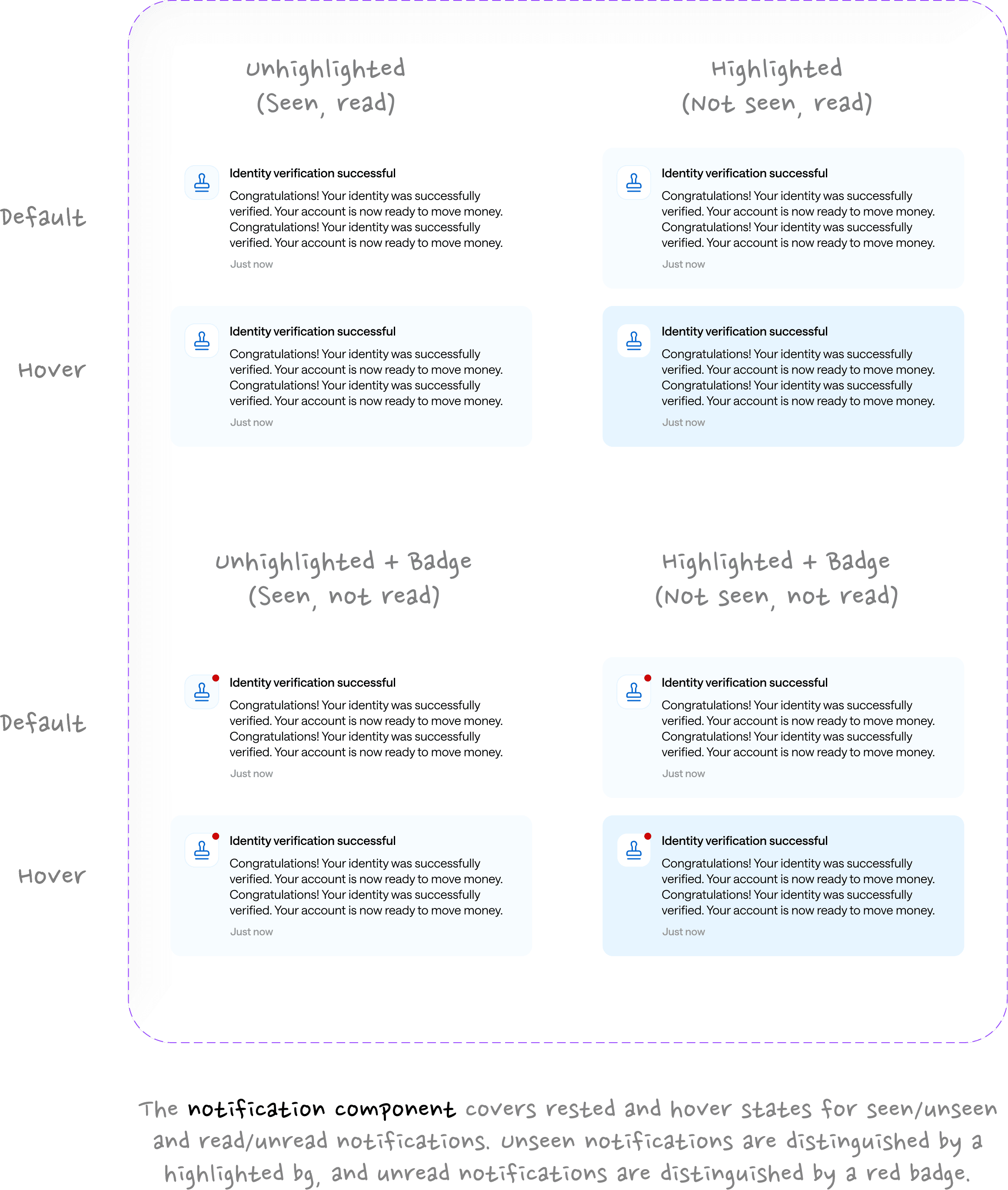
Two-tier notifications — making sure users don't just see but read alerts.
When we started scoping the notifications panel, the obvious shortcut was to do what most apps do: the moment the user opens the bell dropdown, mark everything as read.
But on our platform, notifications aren't just social pings. Many are tied to real tasks that require attention. If someone glanced at their notifications out of habit while in the middle of something else, wiping the unread badge on every item would make it way too easy to lose track of something important.
So we split the behavior into two levels:
✱ Seen happens automatically when the panel opens. The bell icon badge count clears and the highlighted background color on each notification fades.
✱ Read only happens when the user engages with the notification, either by clicking into it or explicitly using the "Mark all as read" button. This clears the unread dot.
That way, we make sure that critical tasks can't be accidentally dismissed with a single glance, and the act of reading notifications becomes more intentional.
Surfacing Tasks, retiring old pages, and cleaning up the sidebar.
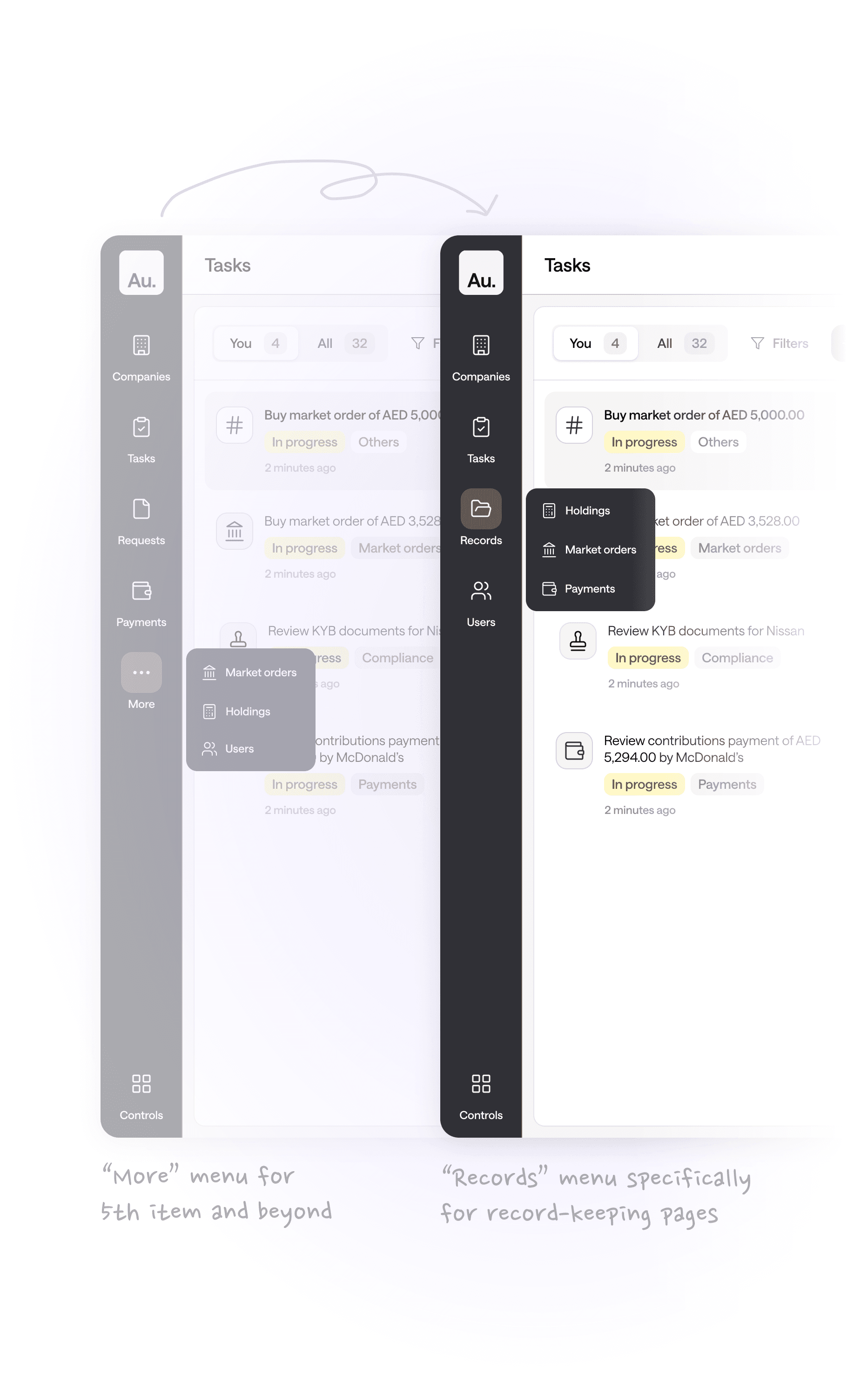
The old pages (where resolution used to happen) still need to be on the platform for high-level reporting and auditing, so they weren't to be removed, just deprioritized on the frontend.
Scoped to merge only after the tasks release, I opened a frontend PRs (my first time doing it alone! 🎉) implementing a simple restructuring of our outer sidebar — grouping Payments, Market orders, and Holdings under a single "Records" section. This change:
✱ Signals the official shift from resolving tasks across scattered pages to doing so in one unified tasks page.
✱ Keeps our navigation clean as the platform grows and more items get added to the sidebar.
Reflections
Task management went into QA and internal dogfooding in March 2026, and went live for clients to use in May 2026. This project was a good reminder of how much complexity lives inside what sounds like a simple brief (like "put all the tasks in one place"). The real design work wasn't the layout — it was untangling all the different workflows, edge cases, and role dynamics that had built up over time across separate parts of the product.
800+ messages, 600+ Linear ticket updates, 100+ screenshots, and 15 screen recordings later… here's what I learned.
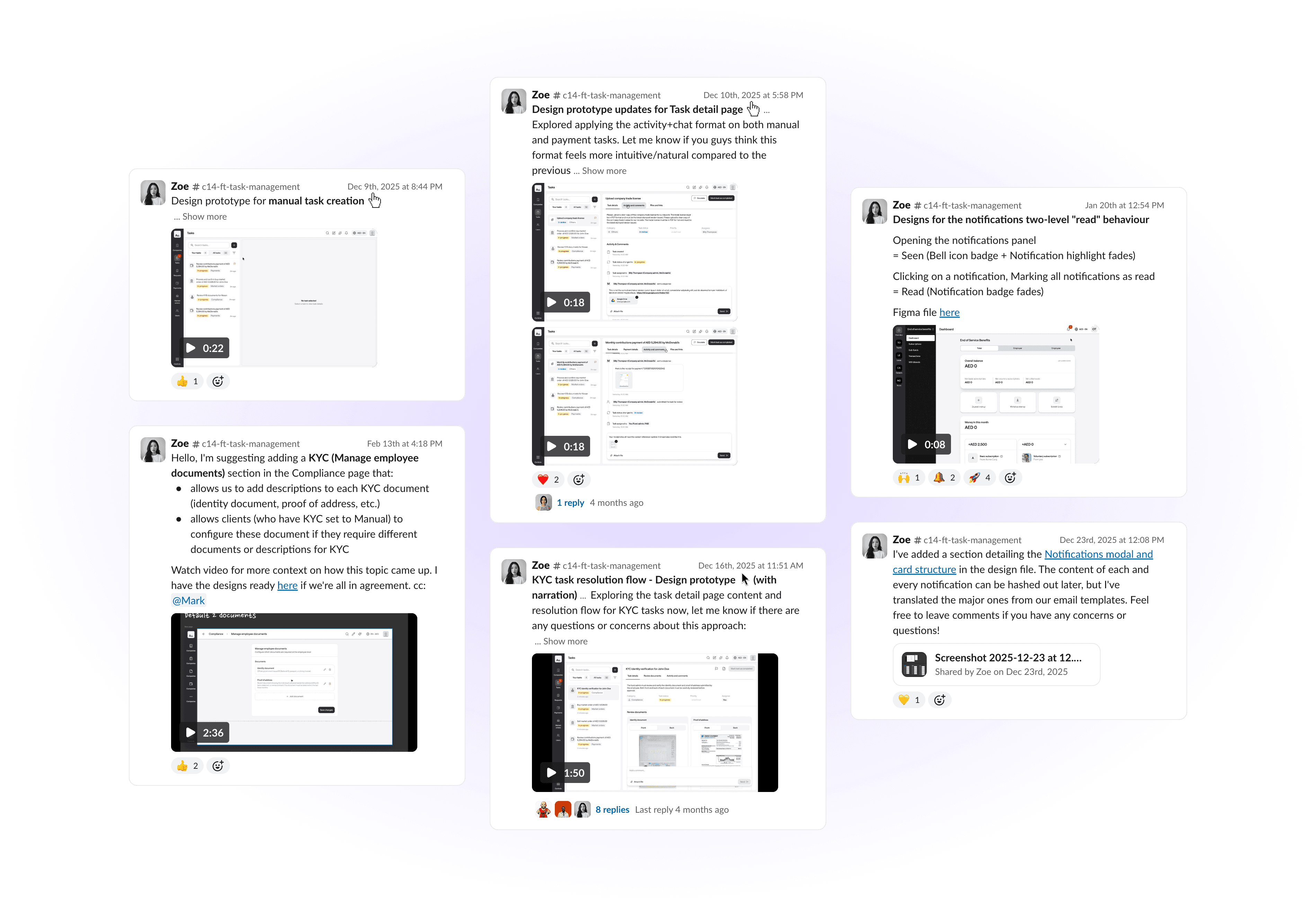
Collaborate and design together for the best outcomes.
Moving things users were used to (even if they are not-so-great experiences) into a new look and space requires a lot of alignment across the team. Engineers need to be looped in on what is technically feasible and what changes would break things, and client-facing members of the team should always be consulted on content, because they know our users best.
Testing is where all the necessary ugly is revealed.
The engineers put together the tasks management system quickly. PRs were approved and everything seemed fine, until we saw the gunk that emerged from internal testing. Bugs and design discrepancies were abundant, and had us wondering how we'd even missed them before. It was truly an eye-opener to how important dogfooding is before release.